Employee Time Tracking
Tech Stacks: SQL, C#, APIs, Node.js, JavaScript, HTML, CSS
Problem: Previously, tracking employee time across clocked hours, work orders, and internal projects had to be done within SAP ECC, which was overly complex, difficult to navigate, and lacked clear visibility for managers. This made it challenging to monitor employee utilization, compare planned versus actual time, and identify discrepancies at the department level. As a result, managers had limited insight into how employee hours were being allocated week to week.
Solution: To solve this, we created a weekly employee time dashboard that consolidates time clock hours, work order hours, and project hours into one streamlined interface. The dashboard provides managers with clear, department-level visibility, while allowing drill-down into individual employee activity. With features like weekly totals, averages, and side-by-side comparisons, managers can quickly identify trends, discrepancies, and workload distribution—empowering better scheduling, accountability, and resource planning.
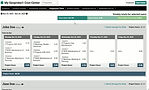

This weekly employee time dashboard shows a breakdown of hours by day, consolidating project assignments, holidays, and maintenance work, while displaying totals and averages to track utilization across the week.
1. Employee Time Tracking Dashboard

This detailed comparison view displays multiple employees’ project hours side by side, showing daily logs, weekly totals, and differences between project hours and time clock entries for precise tracking of discrepancies.
2. Employee Time Detail

This view highlights the ability to collapse or expand employee time records, allowing managers to hide or reveal individual employee activity for easier department-level analysis.